Views#
Kalendar's nine views are standalone composables. You call KalendarMonth(...) directly — there
is no Kalendar(type = ...) dispatcher any more (see Migration from 1.x).
They all live in com.himanshoe.kalendar, share the same
KalendarViewConfig, resolve their visuals through the same
KalendarTheme, and take the same events list — generic in
your event type, so every callback hands it back without a cast.
Underneath, every one of them is built on the public
headless engine — the same KalendarPager, monthGridDates and scheduleBlocks you
would use to build a calendar we did not design.
What they look like#
Every picture below is drawn by the library itself when this site is built — same composables, same default theme, same events — so none of them can drift from the code they document. Each follows the light/dark switch in the top bar.
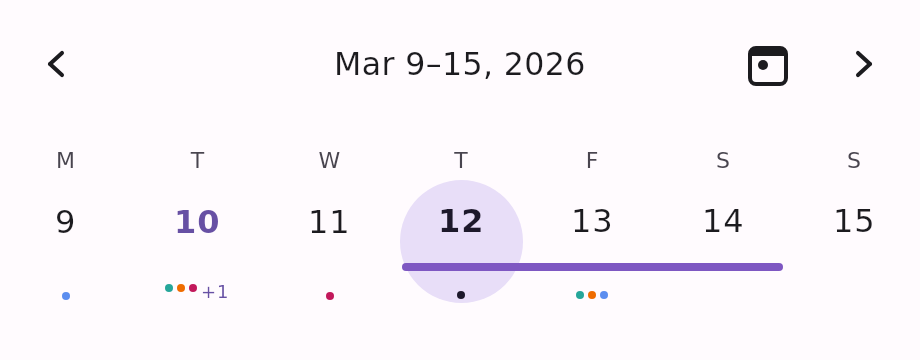
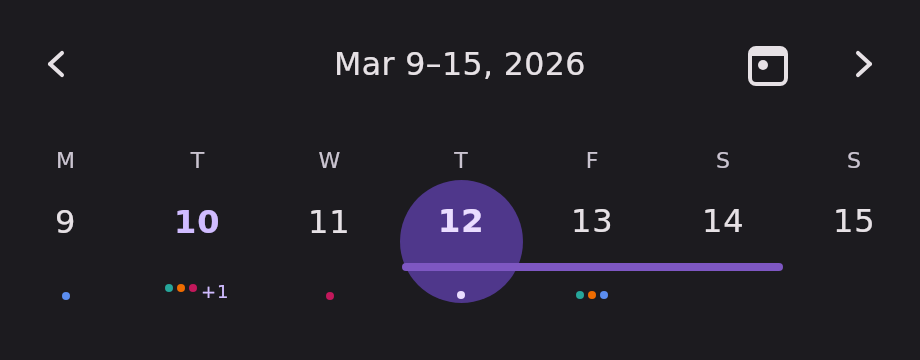
KalendarWeekOne week row, paged by week.
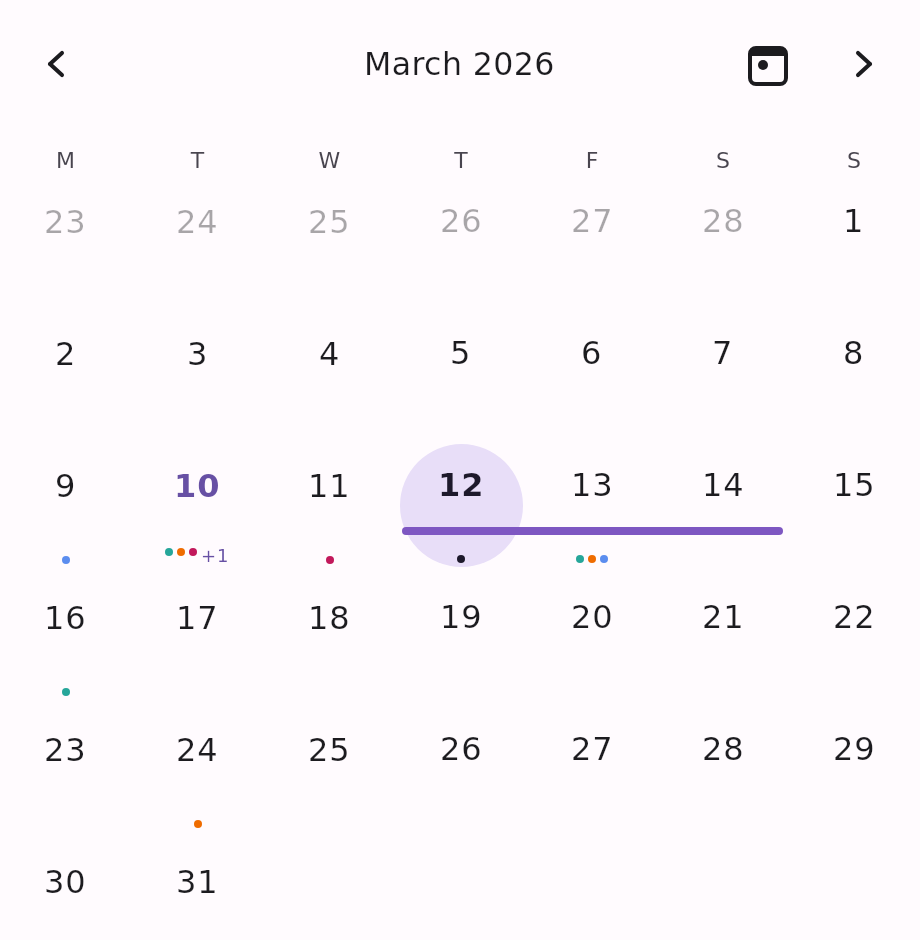
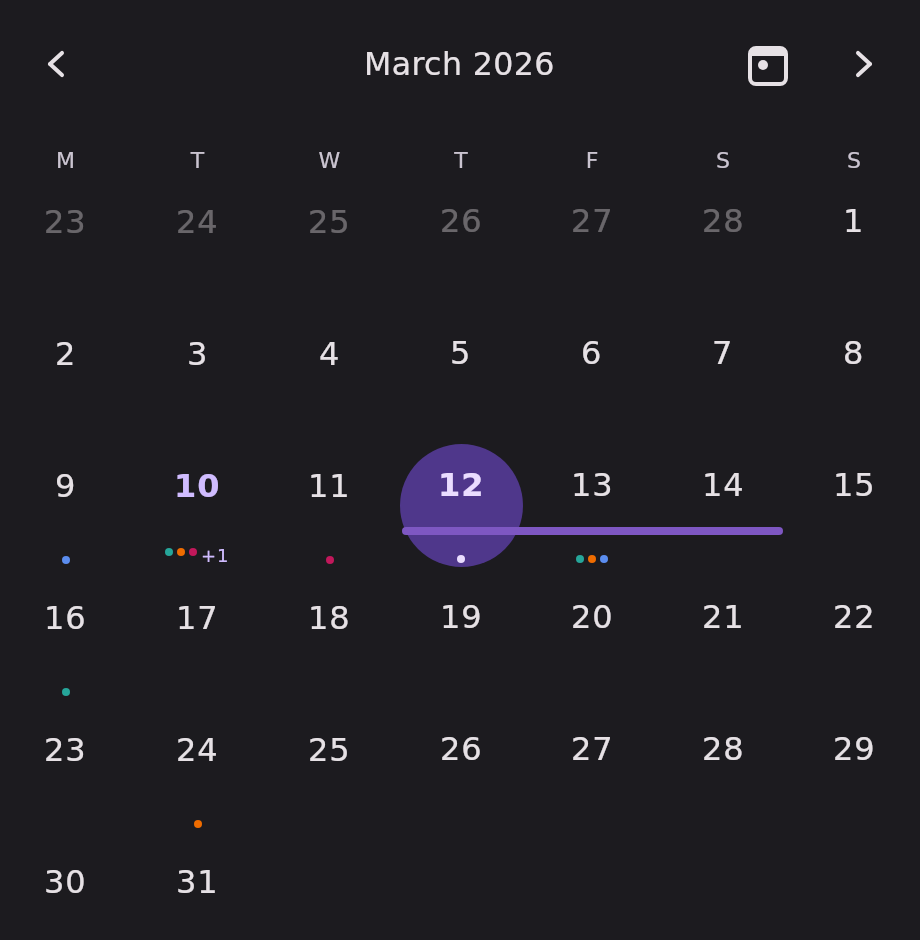
KalendarMonthThe full month grid, paged by month.
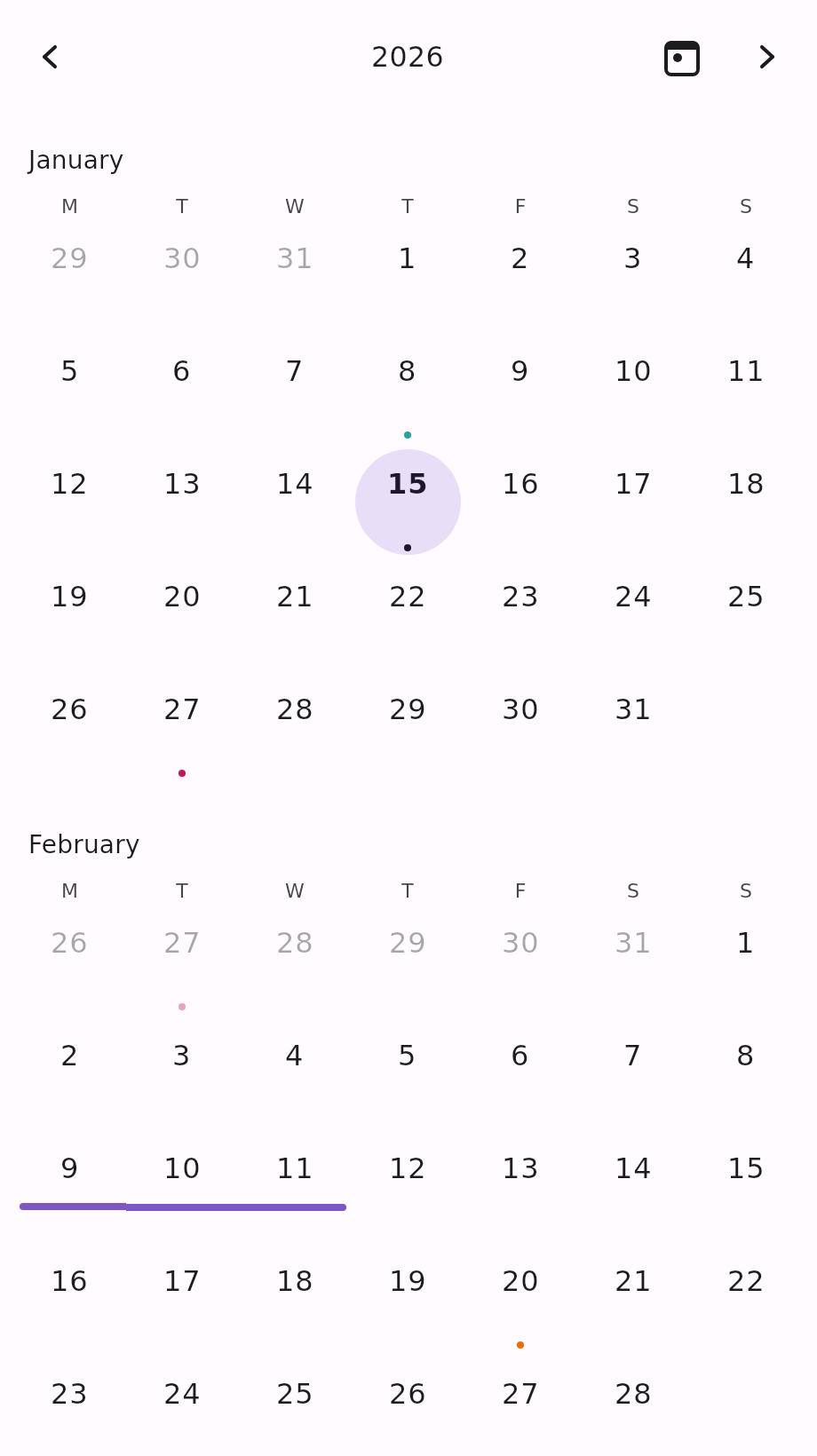
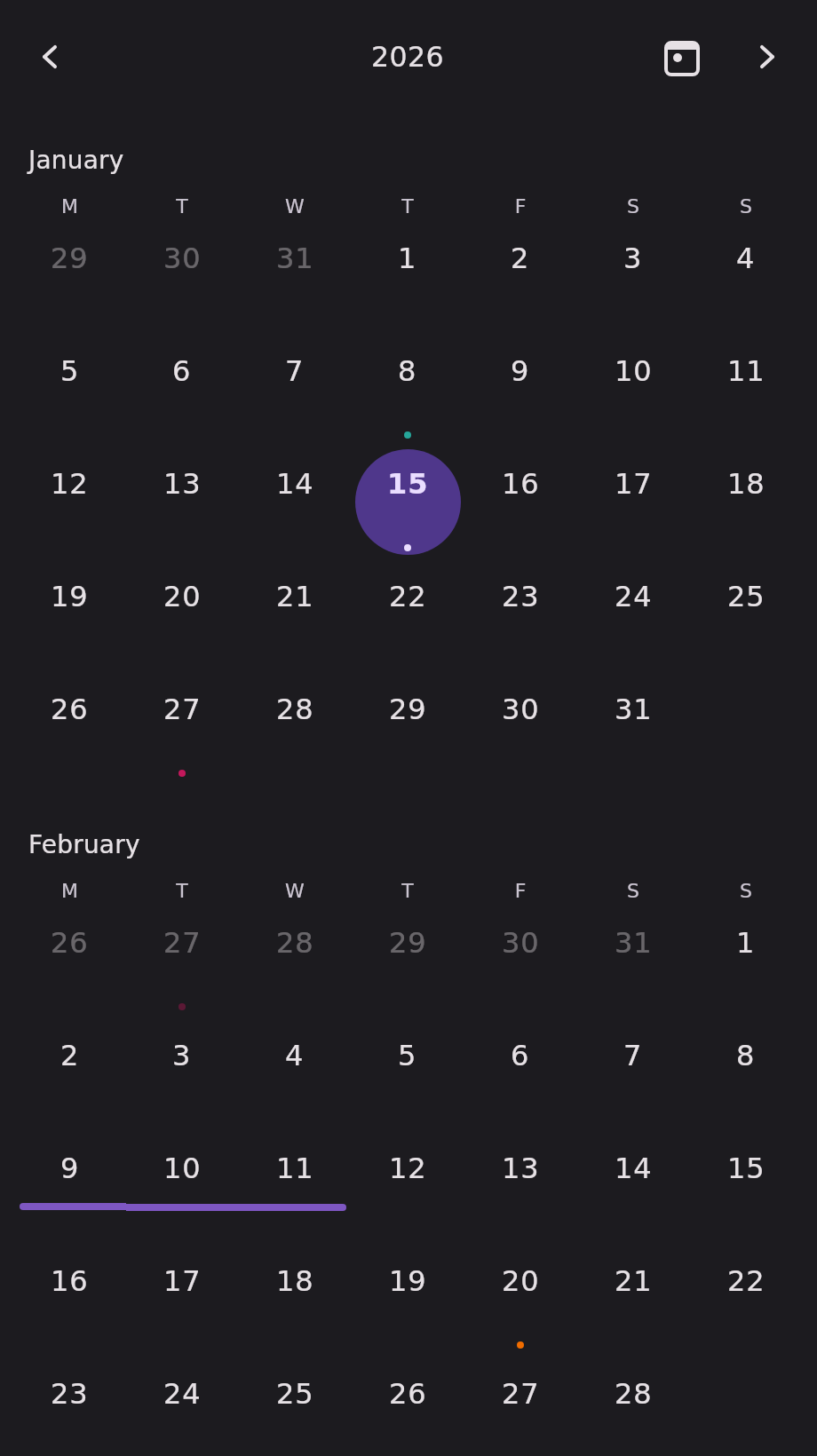
KalendarYearTwelve month grids in one scrolling page.
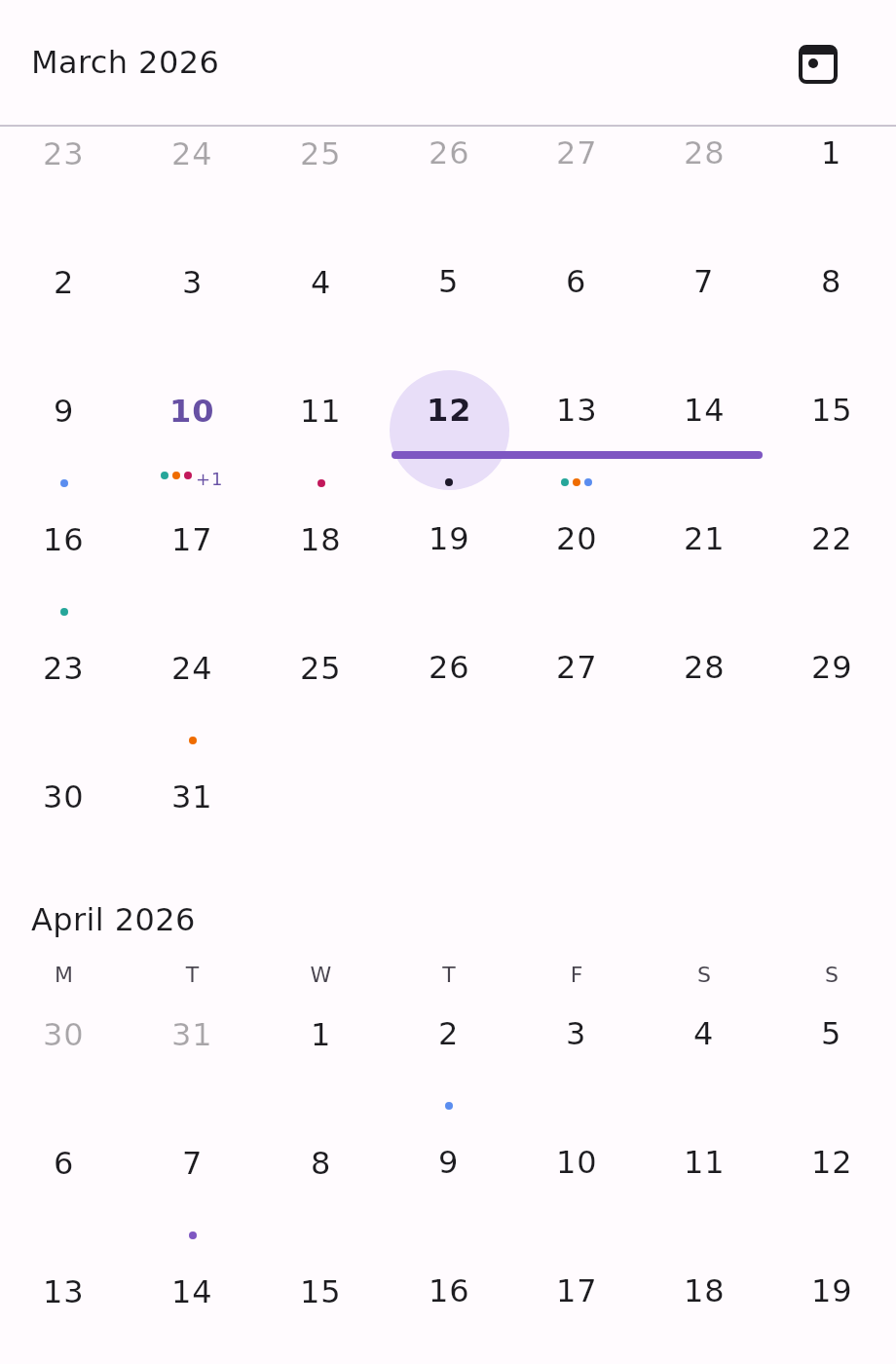
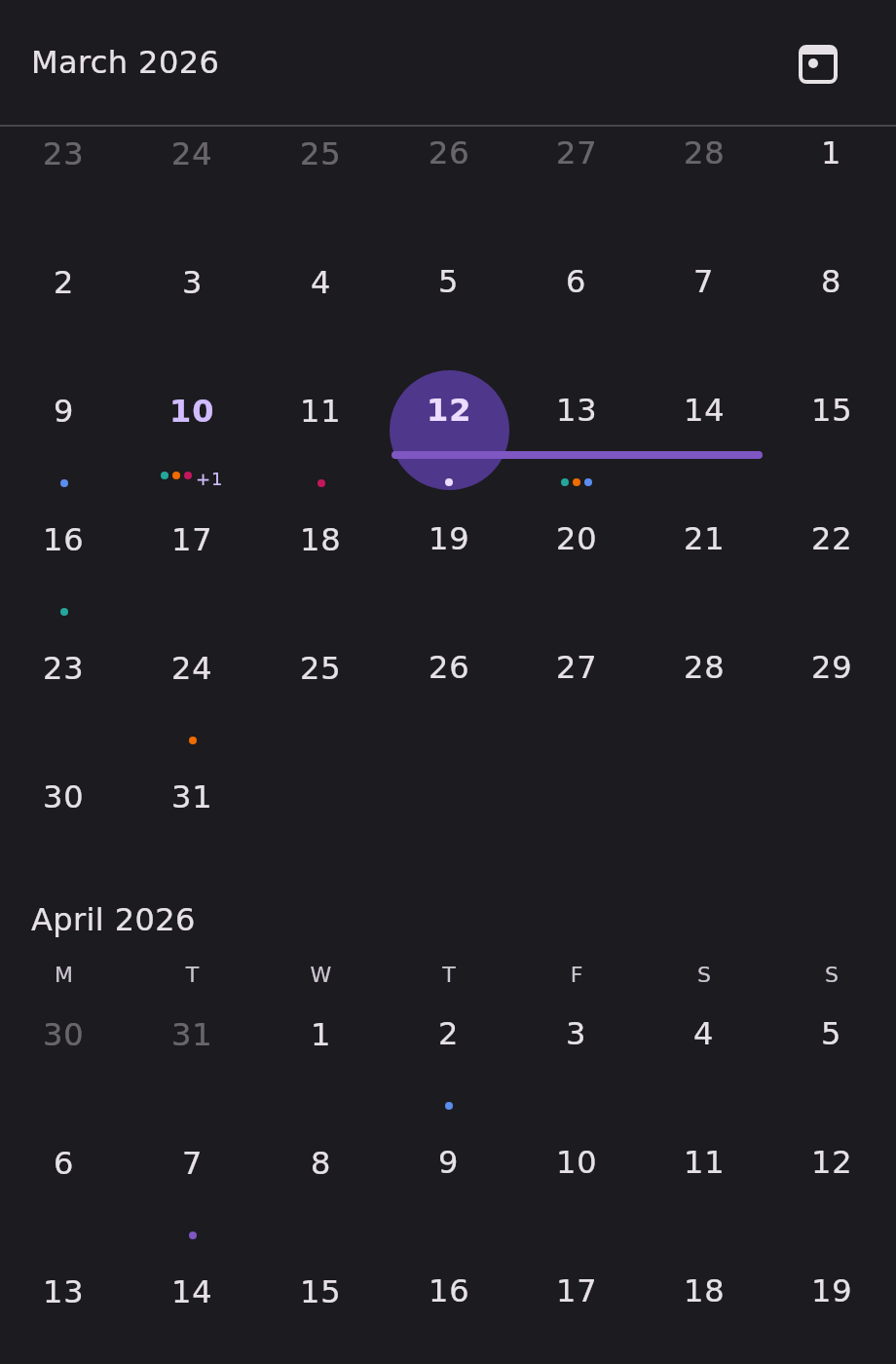
KalendarTimelineEvery month in one uninterrupted scroll.
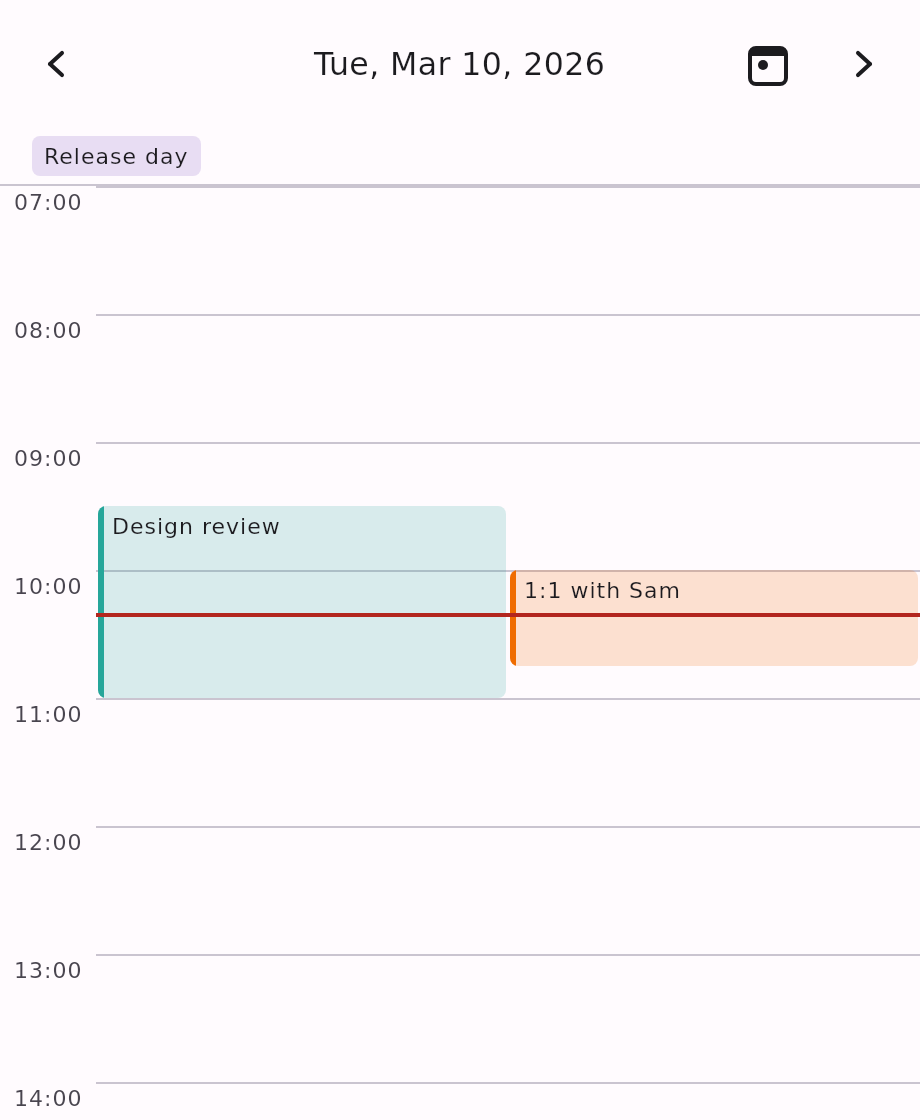
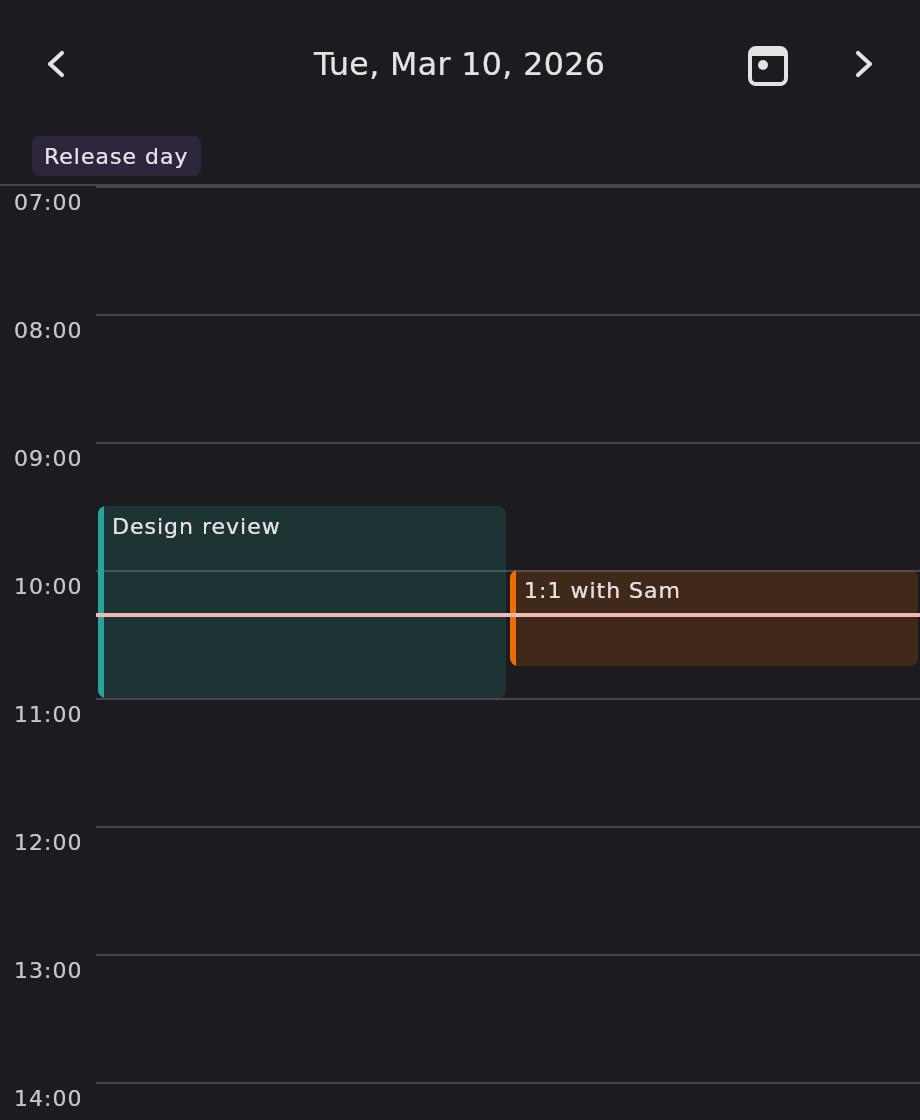
KalendarScheduleOne day as an hourly time grid.
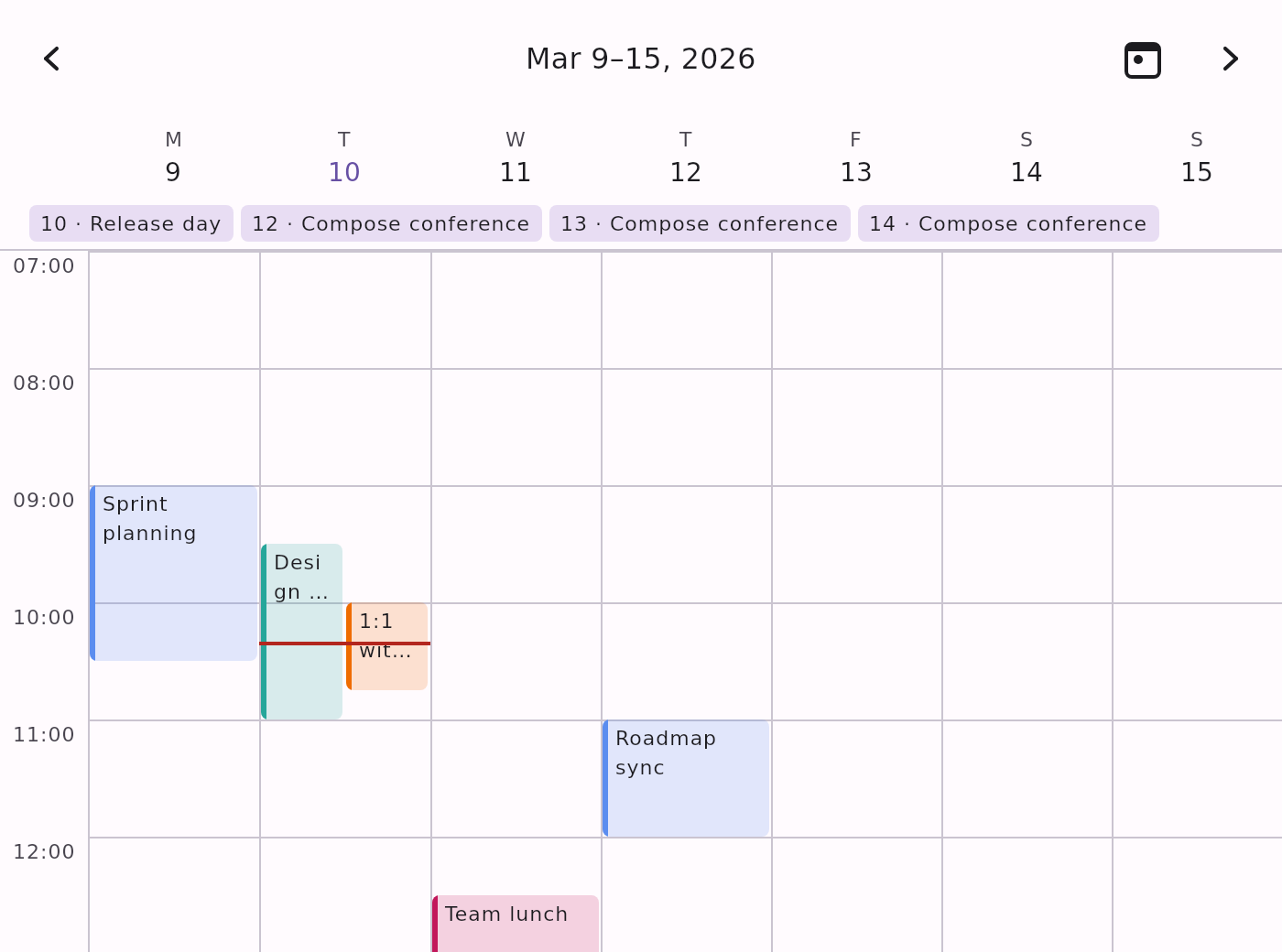
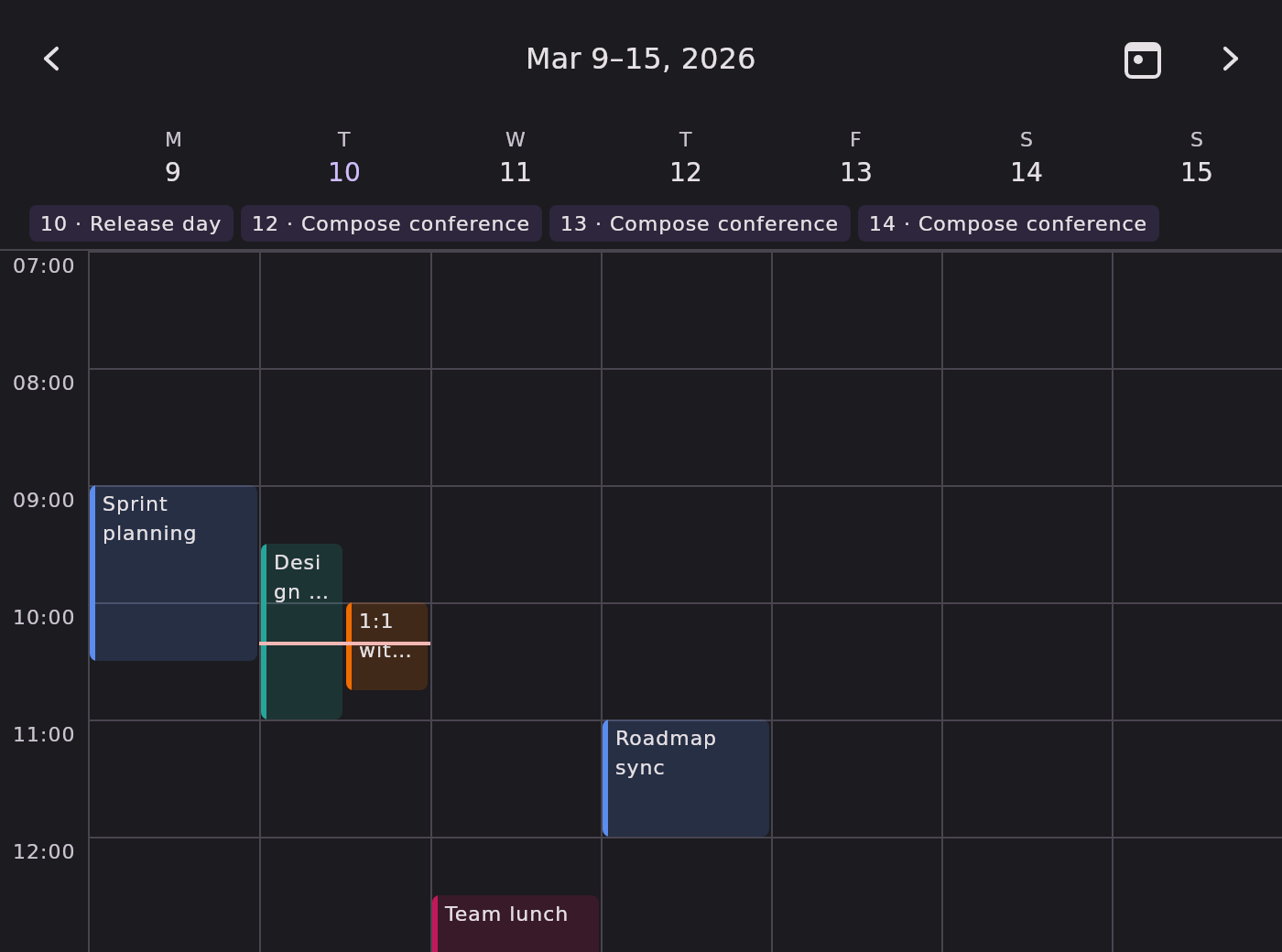
KalendarScheduleWeekSeven day columns, one hour gutter.
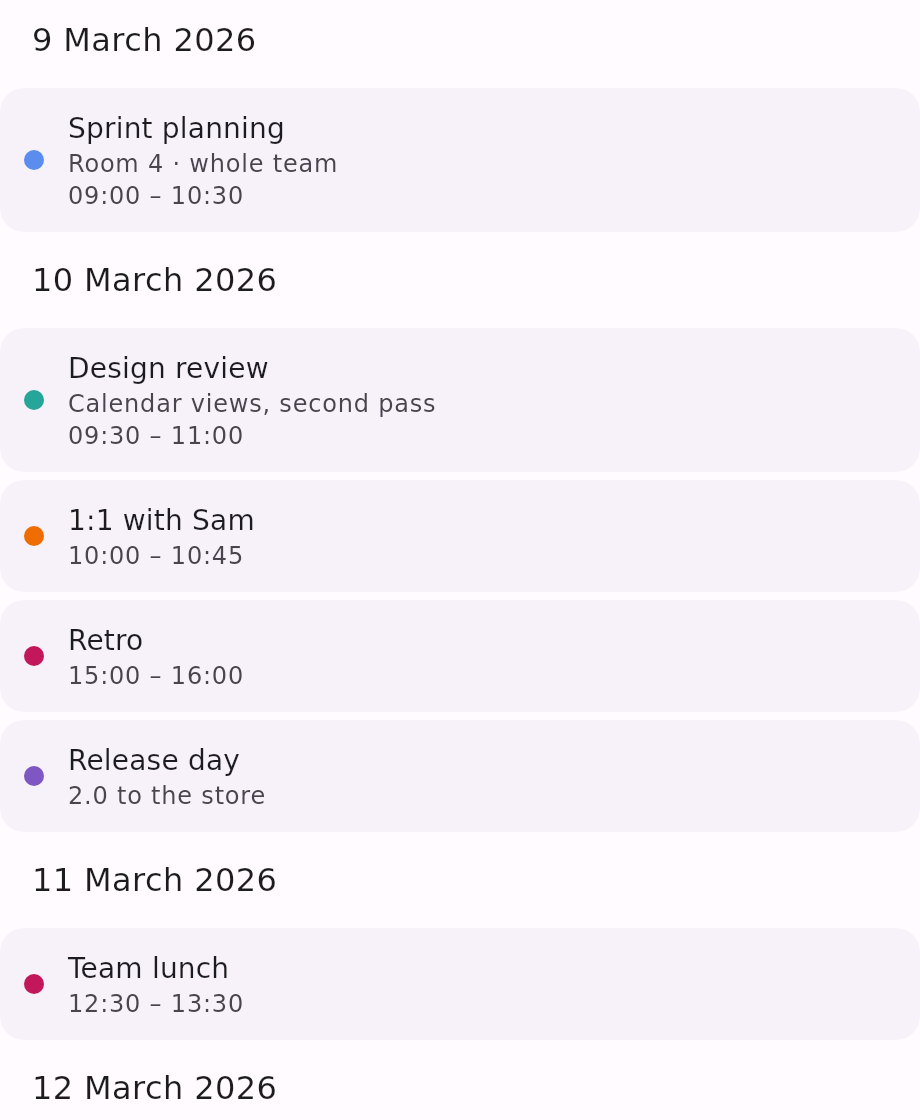
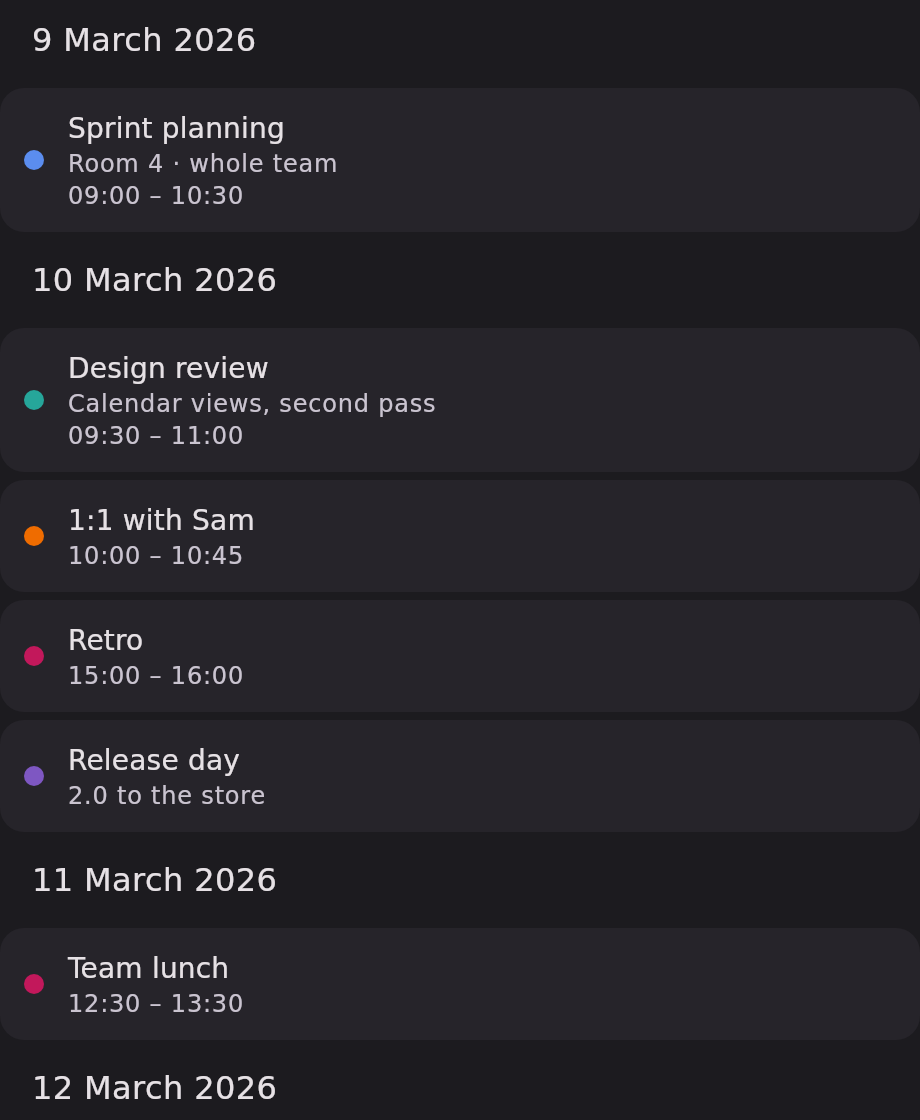
KalendarAgendaEvents grouped by date, no grid at all.
The gallery covers the seven views with generated screenshots. Two more ship in 2.0.0 and are not pictured here — see the API reference for both:
KalendarResourceView— one day, one column per resource. A room board, a chair schedule, a vehicle roster. Events reach their lane through aresourceIdOfaccessor, and a drag moves an event in time and between lanes.KalendarDatePicker— a compact single-month picker, the calendar that drops out of a form field. A month and year control you can jump decades with, and a Clear/Today action rail.
Choosing one#
| View | Shape | Paging unit | State factory |
|---|---|---|---|
KalendarWeek | One week row | Week | rememberKalendarWeekState |
KalendarMonth | Month grid | Month | rememberKalendarMonthState |
KalendarYear | 12 month grids in a lazy scrolling column | Year | rememberKalendarYearState |
KalendarTimeline | Continuous month list | none — free scroll | rememberKalendarTimelineState |
KalendarSchedule | Hourly grid for one day | Day | rememberKalendarScheduleState |
KalendarScheduleWeek | Hourly grid, 7 day columns | Week | rememberKalendarWeekState |
KalendarResourceView | Hourly grid, one lane per resource | Day | rememberKalendarScheduleState |
KalendarAgenda | Event list grouped by date | none — free scroll | rememberLazyListState |
KalendarDatePicker | Compact single-month picker | Month | rememberKalendarMonthState |
What they have in common#
Date-grid views — KalendarWeek, KalendarMonth, KalendarYear, KalendarTimeline — render
day cells, take selectedDates / onDateClick, and show events as indicator dots — with a
span bar for anything covering more than one day.
Hour-grid views — KalendarSchedule, KalendarScheduleWeek and KalendarResourceView — render
an hourly time grid, take onEventClick plus a change callback, and lay events out as duration-sized
blocks packed side by side where they overlap. They have no concept of date selection. All three
honour KalendarViewConfig.scheduleVisibleHours, so a business-hours calendar is one config value.
The agenda — KalendarAgenda — has no grid and no pager at all: it lists the events themselves,
grouped by date, and skips every date that has none. It takes onEventClick and, like the Schedule
views, has no concept of date selection.
Feature matrix#
| Feature | Week | Month | Year | Timeline | Schedule | ScheduleWeek | Resource | Agenda | DatePicker |
|---|---|---|---|---|---|---|---|---|---|
| Arrow + swipe navigation | yes | yes | yes | no | yes | yes | arrows only | no | arrows only |
| Today button | yes | yes | yes | yes | yes | yes | yes | no | action rail |
| Month/year jump picker | yes | yes | yes | no | yes | yes | yes | no | its own header |
selectedDates / onDateClick | yes | yes | yes | yes | no | no | no | no | yes |
| Sliding selection indicator | yes | yes | no | no | no | no | no | no | no |
| Drag-to-select a range | yes | yes | no | no | no | no | no | no | no |
| Drag events to a new date | no | yes | no | no | no | no | no | no | no |
| Drag / resize event blocks | no | no | no | no | yes | yes | yes | no | no |
| Drag an event between columns | no | no | no | no | no | days | lanes | no | no |
| Sweep out a new event | no | no | no | no | yes | yes | no | no | no |
Event indicator dots, span bars and +N | yes | yes | yes | yes | no | no | no | no | no |
visibleDaysOfWeek work weeks | yes | yes | yes | yes | no | yes | no | no | yes |
scheduleVisibleHours business hours | no | no | no | no | yes | yes | yes | no | no |
dayContent slot | yes | yes | yes | yes | no | no | no | no | yes |
header slot | yes | yes | yes | yes | no | no | no | no | yes |
dayOfWeekLabel slot | yes | yes | yes | yes | no | no | no | no | yes |
| Event / hour / now-indicator slots | no | no | no | no | yes | yes | yes | no | no |
dateHeader / eventContent / emptyState slots | no | no | no | no | no | no | partly | yes | no |
eventLoader and the loadingContent slot | yes | yes | yes | yes | yes | yes | yes | yes | no |
KalendarTimeline scrolls continuously, so it has no pages and no arrow buttons — its header slot
receives a scope whose page vocabulary is mapped onto months, and
KalendarViewConfig.showNavigationArrows and showJumpPicker are ignored there.
The Schedule views draw the built-in navigation header directly and do not expose a header slot;
style it through KalendarTheme instead. They do expose slots for everything
inside the grid — see Customization.
The state factories#
Each factory wraps a PagerState (or a LazyListState for the timeline) and exposes it in date
terms. All of them share the same five parameters, except rememberKalendarScheduleState, which has
no startDayOfWeek — a single day has no week columns to align.
| Parameter | Type | Default | Description |
|---|---|---|---|
initialDate | LocalDate | today, system time zone | The week / month / year / day initially visible. |
startDayOfWeek | DayOfWeek | DayOfWeek.MONDAY | The first week column. Not on rememberKalendarScheduleState. |
minDate | LocalDate? | null | Lower bound. Unbounded when null. |
maxDate | LocalDate? | null | Upper bound. Unbounded when null. |
timeSource | KalendarTimeSource | the ambient one | Where the state reads "today" from — the seam between the calendar and the wall clock. |
initialDate itself defaults to today as read through timeSource, so wrapping a screen in
ProvideKalendarTimeSource(fixed) { … } pins every view's idea of the current date at once: the
today highlight, the today button's target, and the Schedule views' now-indicator. That is how the
screenshots on this page are made — a fixed clock, so the pictures cannot drift. See
The clock.
KalendarViewState#
Returned by rememberKalendarWeekState, rememberKalendarMonthState, rememberKalendarYearState,
and rememberKalendarScheduleState.
| Member | Type | Description |
|---|---|---|
visibleDate | LocalDate | Start date of the page currently on screen. |
startDayOfWeek | DayOfWeek | The week's first column. |
minDate / maxDate | LocalDate? | The bounds this state was created with. |
canScrollBackward | Boolean | Whether stepping one page back stays within minDate. |
canScrollForward | Boolean | Whether stepping one page forward stays within maxDate. |
timeSource | KalendarTimeSource | Where this state reads "today" from. Read-only, but snapshot-backed: the remember*State factory keeps it in step with the ambient source without recreating the state and losing the scroll position. Choose the source by passing it to the factory. |
suspend animateScrollTo(date) | Unit | Animates to the page containing date, clamped to the bounds. |
suspend animateScrollToToday() | Unit | Animates to the page containing today, clamped. |
suspend animateToPreviousPage() | Unit | One page back. A no-op past minDate. |
suspend animateToNextPage() | Unit | One page forward. A no-op past maxDate. |
KalendarTimelineState#
Returned by rememberKalendarTimelineState.
| Member | Type | Description |
|---|---|---|
visibleDate | LocalDate | Start of the month currently topmost in the list. |
startDayOfWeek | DayOfWeek | The week's first column. |
minDate / maxDate | LocalDate? | The bounds this state was created with. |
suspend animateScrollTo(date) | Unit | Animates so the month containing date reaches the top. |
suspend animateScrollToToday() | Unit | Animates back to today's month. |
timeSource | KalendarTimeSource | Where this state reads "today" from. Read-only, for the same reason as KalendarViewState.timeSource. |
Warning:
minDate/maxDatebound the buttons, not the swipe. On the paged views the bounds disable the header's arrow buttons and clampanimateScrollTo, but a swipe is not blocked and can carry you past them. OnKalendarTimelinethe bounds do clamp the scroll itself, because the list is built with a finite item count.
KalendarAgenda has neither: it takes a plain LazyListState, because a list of events has nothing
to page through and nothing to bound.
Both state classes are thin wrappers over the engine's KalendarPager
and a Compose scroll state. Every member above is documented signature-by-signature in the
state reference.